IoT Edge - Protocol Converters
Goal
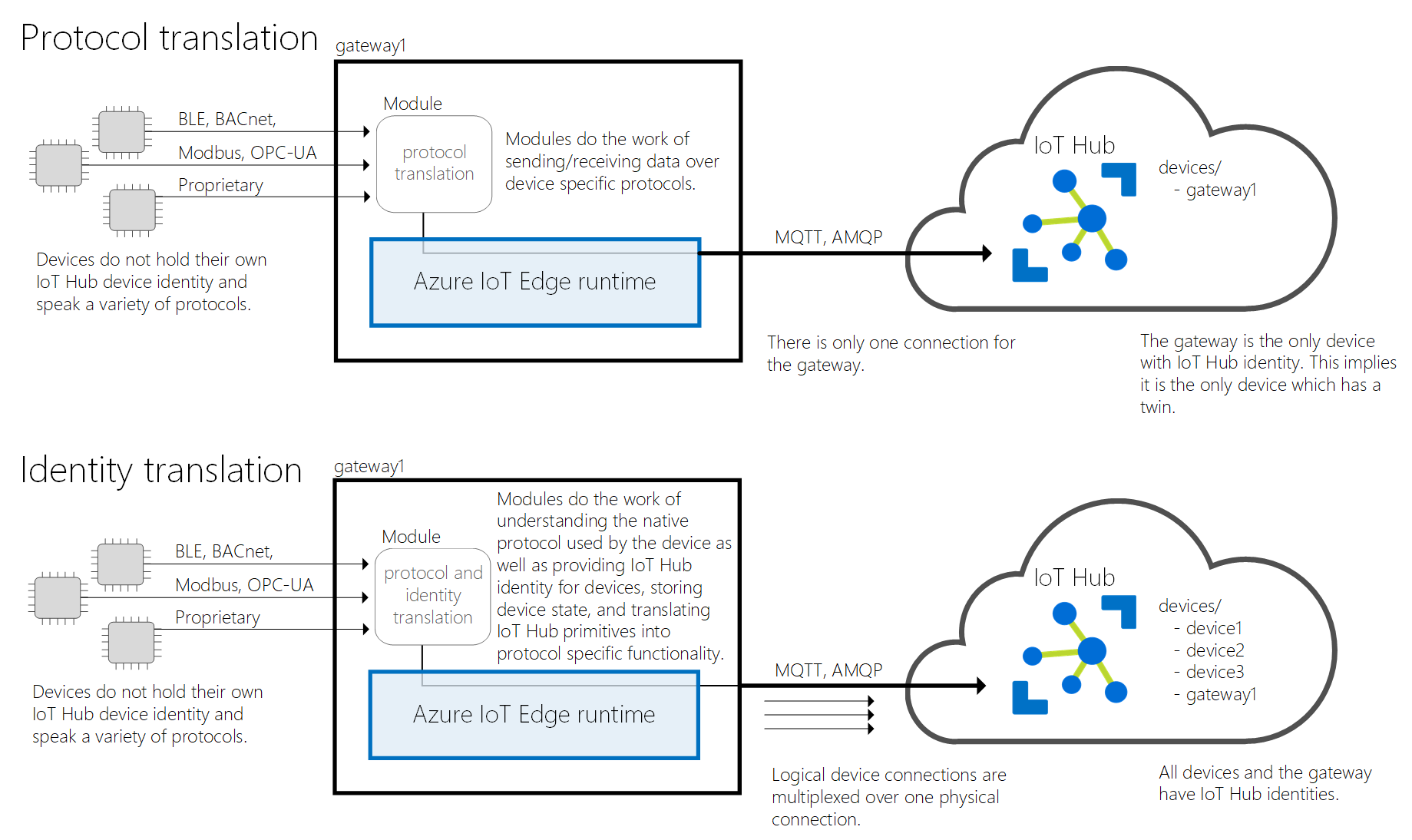
The goal of this solution is to provide an IoT Edge solution that contains modules used for the different protocol converters. These allow us to connect devices that have no native IoT Hub communication and create a new device for each of these devices. Below an illustration can be found of how devices connect to the provided module that forwards them to Azure IoT Hub.
Example
Assume we have an ANPR camera installed in the field. To now connect this to IoT Hub, we can install this solution with the tattile module and hook up the camera to the tattile module. The module will now take care of registring the tattile camera in the IoT Hub with the correct prefix and allow the camera to be authorized. Bi-directional communication can be implemented as well on a per-case basis.
Modules
Tattile
TODO
Deployment
To deploy this solution, we adapt the deployment.template.json file in internal/iot-platform/solutions/iot-edge-protocol-converters to include the modules we wish the to deploy to a certain gateway device.
For example, to deploy the Tattile module we can use:
"modules": {
    "Tattile": {
        "version": "1.0",
        "type": "docker",
        "status": "running",
        "restartPolicy": "always",
        "settings": {
            "image": "$CONTAINER_REGISTRY_NAME.azurecr.io/$CONTAINER_NAME:$CONTAINER_VERSION-$CONTAINER_PLATFORM",
            "createOptions": {
                "HostConfig": {
                    "Privileged": true,
                    "Devices": [
                        {
                            "PathOnHost": "/dev/snd",
                            "PathInContainer": "/dev/snd",
                            "CgroupPermissions": "mrw"
                        }
                    ],
                    "Binds": [
                        "/tmp:/tmp"
                    ]
                }
            }
        }
    }
}
Next, run ./deploy/production/run.sh <HUB_NAME> <DEVICE_ID> [CONTAINER_VERSION] [PLATFORM] [ACR_REPO] to deploy the solution to the provided device id.